

After the close
Trade journal
Bring in your fills, see each trade in full, review it against your playbook, and find your patterns in reports.
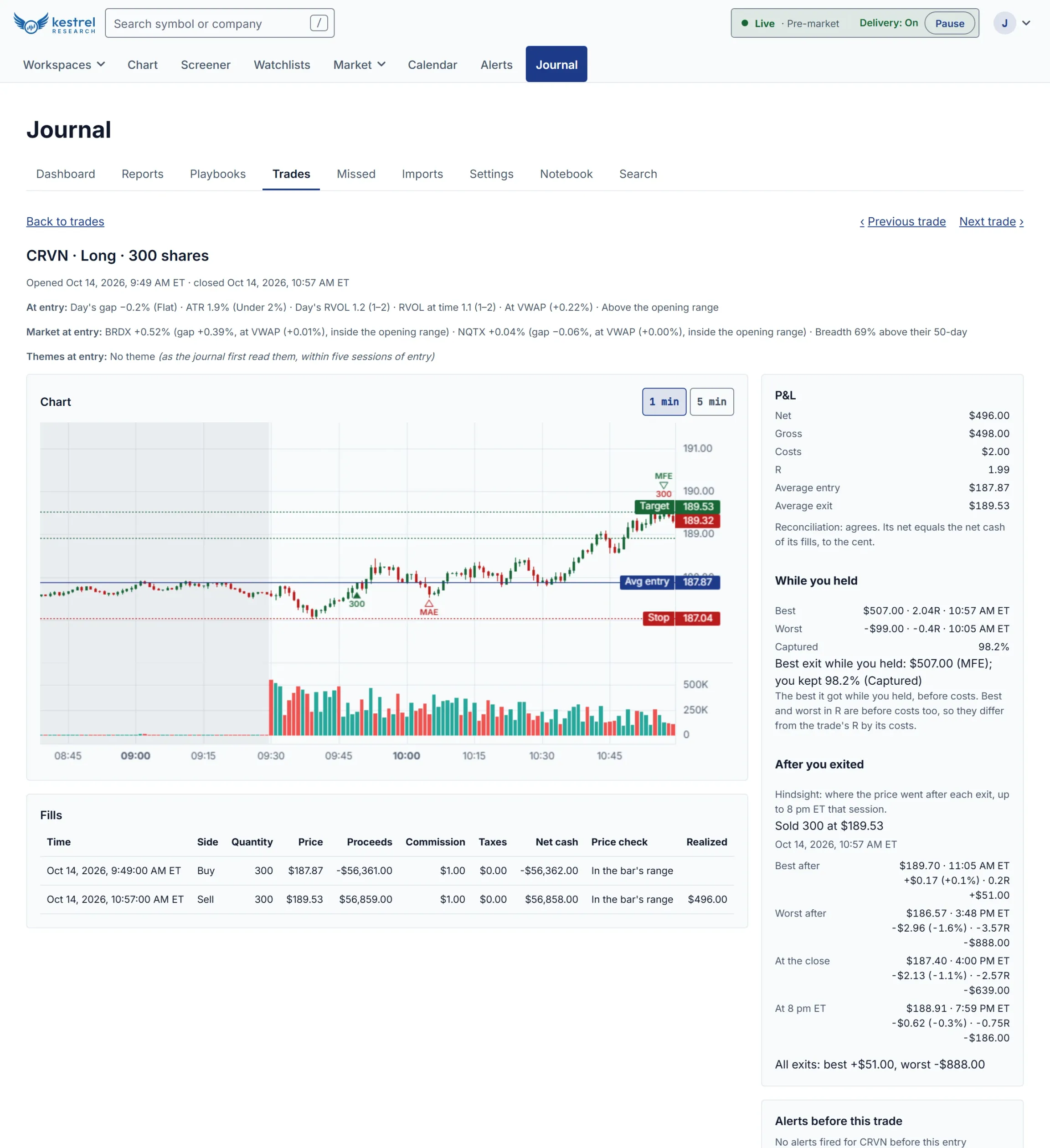
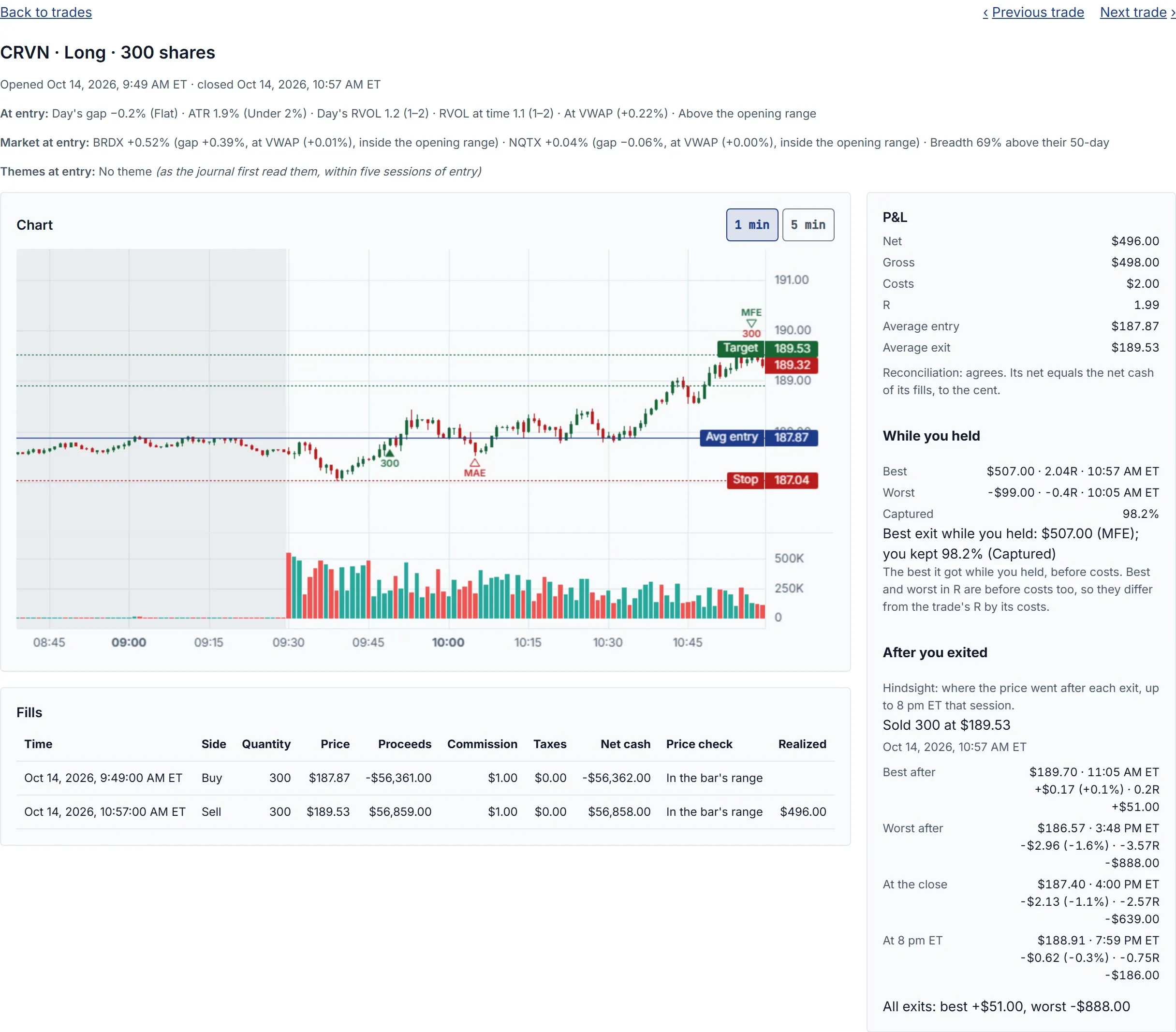
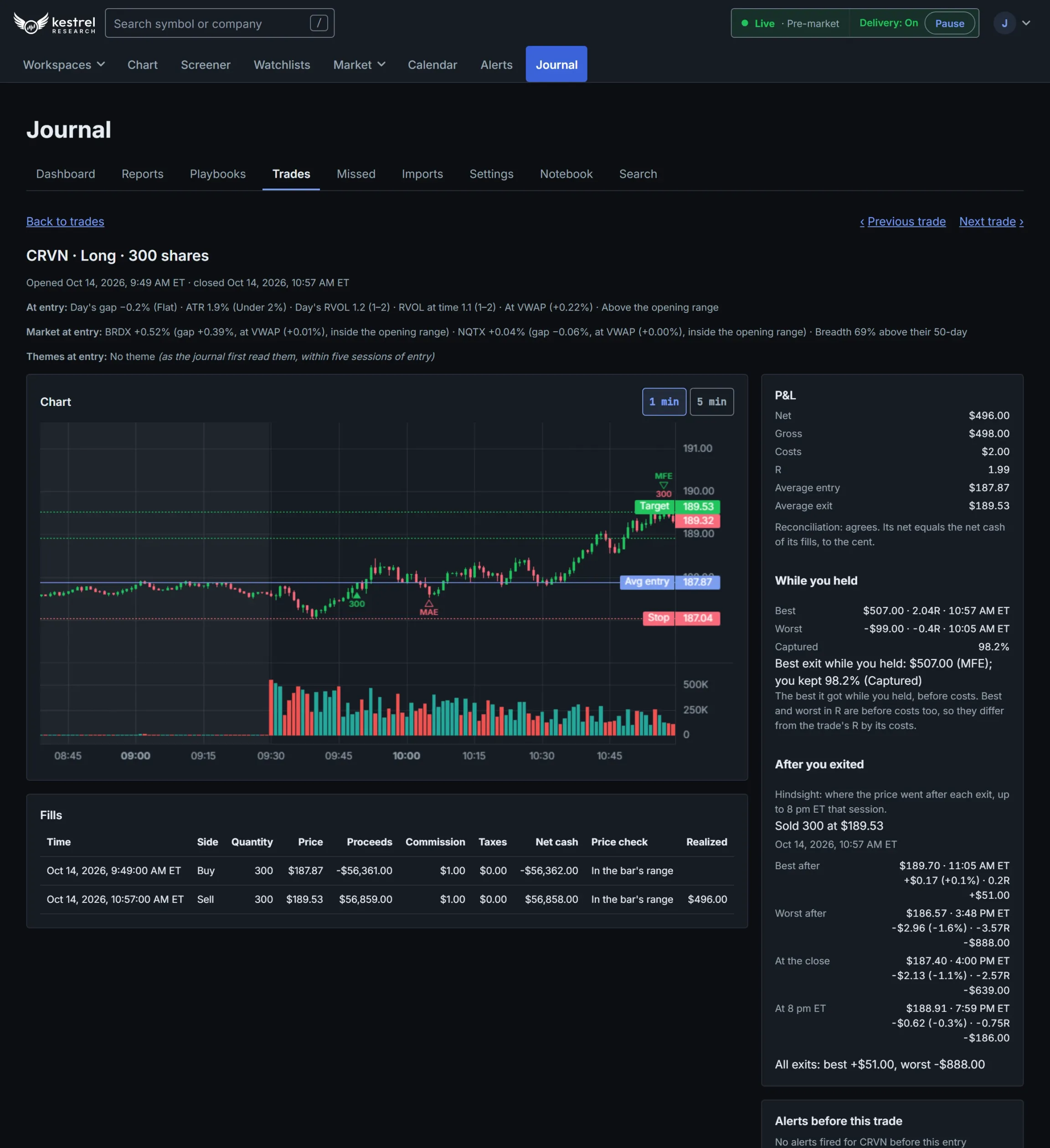
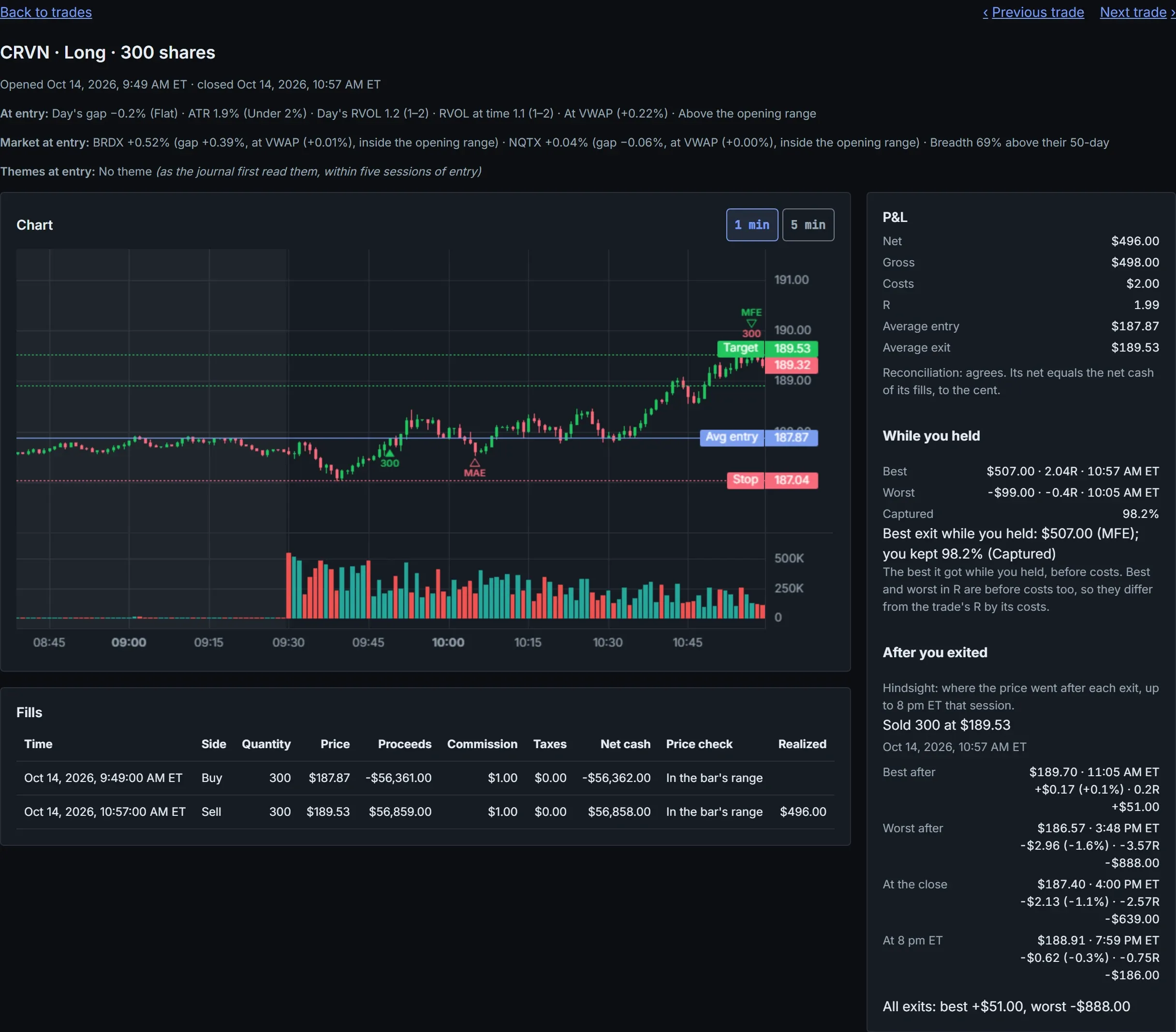
Getting trades in
- Import a broker statement, check it in a preview first, and undo an import if you need to.
- Or connect your broker once and sync every morning.
- Add fills by hand.
- Fills are grouped into trades from flat to flat, with splits and symbol changes applied, and FIFO, LIFO or average cost per account.
- Statement import and sync work with one broker, for US stocks, today. Ask us which.
Each trade
- A chart of the trade with your fills, average entry, stop and target.
- Net and gross P&L, costs and R.
- For a closed trade: the best and worst price while you held it, how much you captured, and where price went after you exited.
- The stock and the market when you entered: gap, relative volume, VWAP, opening range, breadth and themes, and the alerts that came before it.
Reviewing it
- Notes, a planned stop and target, how you felt, an execution rating and tags.
- Playbooks of up to 30 rules: mark each rule followed or broken, and compare results rule by rule.
- Screenshots on any trade or day.
- Log the trades you did not take, and see what they would have done.
Days, weeks and reports
- A day page with your pre-market plan, your daily rules and their verdicts, running P&L and notes.
- Daily rules: max daily loss, max loss on one trade, max trades, no entries before or after a time, max position size, and only names on your plan.
- A dashboard, and reports by time of day, weekday, R multiple, market context, theme, emotion and rating.
Your data
- Filter and search everything, and export trades to CSV or Excel.
- Download your whole journal, or delete it.
Screenshots are of the product itself, with made-up companies and prices.